

For plenty of WordPress sites, the conversion isn’t a checkout — it’s a form. An enquiry, a quote request, a demo booking, a newsletter signup. If you’re running ChatGPT ads to a service or B2B site, the lead_created event is how you prove those ads produce real enquiries, not just clicks. This guide shows how to track form submissions from Contact Form 7, Elementor, and Bricks as OpenAI Ads conversions — automatically, on both tracking routes, with no code.
New to the events themselves? The WooCommerce events guide maps the full set; this one focuses on leads.
Why lead_created matters
If your business runs on enquiries rather than instant purchases, an order-only setup is blind to most of your value. Someone clicks a ChatGPT ad, reads your service page, and fills in the contact form — that’s a conversion, even though no money changed hands yet. Without lead_created, OpenAI sees the click but not the result, so it can’t optimise toward the people who actually convert, and you can’t tell which campaigns generate pipeline.
Tracking the lead closes that loop. It tells OpenAI “this ad produced an enquiry,” which is exactly the signal its optimisation needs for a business where the sale happens later, over a call or a quote.
The forms the plugin supports out of the box
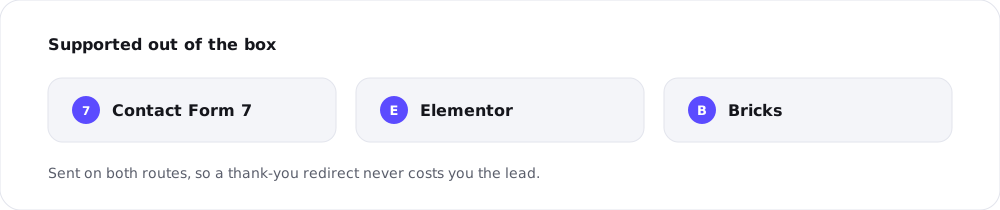
Most WordPress sites collect leads through one of a handful of form tools, and the Pro plugin handles the three most common automatically:
- Contact Form 7 — the most widely used WordPress form plugin
- Elementor — forms built with Elementor Pro
- Bricks — native Bricks Builder forms
When a visitor submits one of these, the plugin fires lead_created for you. There’s nothing to wire into the form itself — no hidden fields, no custom JavaScript, no per-form setup. Install, and supported forms start reporting leads.
Registration tracking, too
Closely related is registration_completed, which fires when a new customer account is created. For membership sites, communities, or stores where signing up is the first real commitment, that account is a meaningful conversion in its own right. The plugin fires it automatically alongside the form events, so signups from ChatGPT ads show up as conversions without extra work.
Deduplicated on both sides, automatically
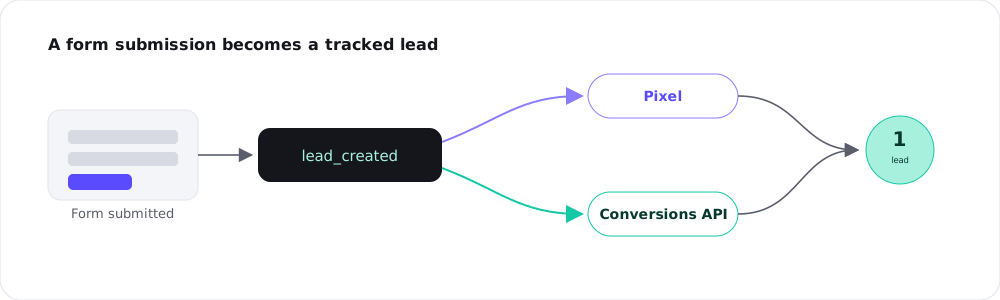
Like every other event the plugin sends, a lead is reported through both the browser pixel and the Conversions API, tagged with a matching ID so OpenAI counts it once. That matters for forms in particular: a submission often triggers a page change or a thank-you redirect, which is exactly the kind of moment where a browser-only pixel can misfire or get cut off. Sending the lead from the server as well means it’s captured reliably even if the browser event doesn’t complete. (Why both routes matter: pixel vs Conversions API.)
Mapping leads to revenue later
A lead isn’t worth the same as a sale, and you don’t have to pretend it is. A lead_created event can be sent with little or no value attached — it marks that an enquiry happened. The real worth becomes clear later, when that lead turns into a paying customer through a call, a quote, or a contract.
The practical approach is to track the lead now so OpenAI can optimise toward enquiry-generating audiences, and judge campaigns over time by how many leads become customers. You get the immediate optimisation signal without overstating what an enquiry is worth on day one. If you also sell directly, those purchases are tracked separately as order_created — see which WooCommerce events to track.
Frequently asked questions
Contact Form 7, Elementor forms, and Bricks Builder forms are tracked automatically as lead_created. You don’t add anything to the forms themselves.
No. With the Pro plugin active, submissions from supported forms fire lead_created on their own — no hidden fields, no custom scripts.
Often none, or a nominal one. A lead marks that an enquiry happened; its real value shows up later when it converts to a sale. Track the lead for the optimisation signal and measure lead-to-customer over time.
Yes, with a matching ID so it’s counted once. The server side is especially useful for forms, since a thank-you redirect can interrupt a browser-only event.
Yes. registration_completed event fires automatically when a customer account is created, which is handy for membership and community sites.